
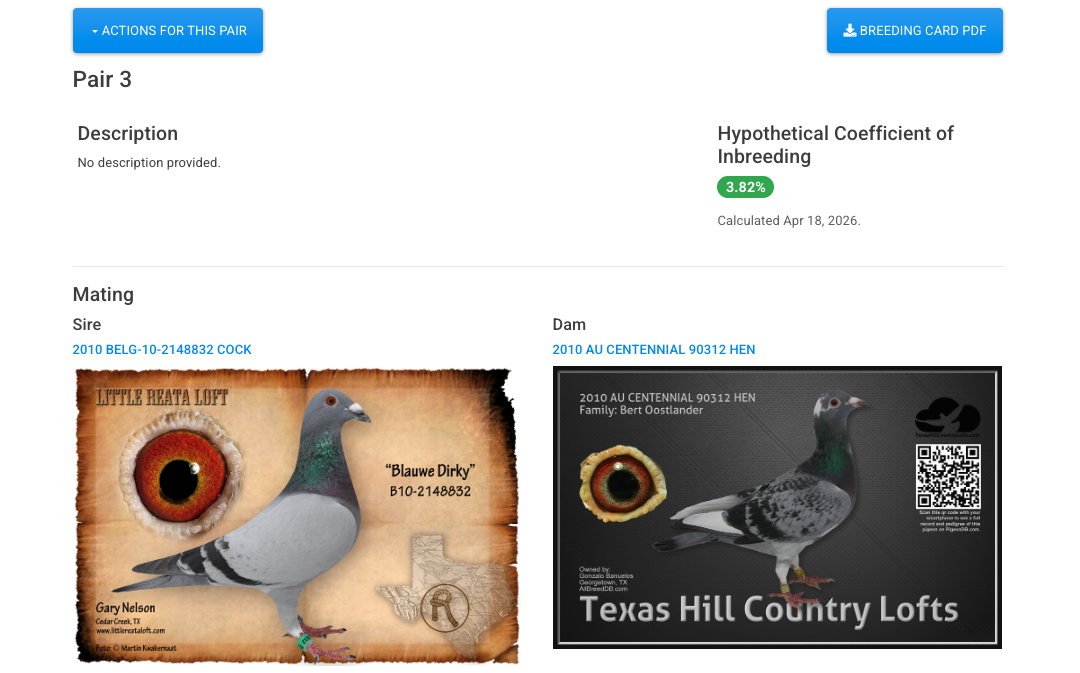
Understand the breeding genetics behind every pairing, right in your records. PigeonDB now calculates the Coefficient of Inbreeding for your pigeons and pairs. The calculation uses Wright’s formula and traces up to 10 generations of ancestry, and you can kick it off from any pigeon or pair record with a single click. Results show up as a colored pill in your tables — green when the COI is low, yellow when it’s worth a second look, and red when the pairing is heavily inbred — so you can tell at a glance which birds are clean outcrosses and which ones are tightly line-bred. Ancestor COIs get updated at the same time, so the whole tree stays consistent.
For pairs, the COI is hypothetical: it tells you what the offspring’s inbreeding coefficient would be, which means you can evaluate a mating before you actually make it. On each pair’s record, you’ll see the hypothetical COI right next to the description, and in the Actions dropdown you can recalculate anytime the underlying pedigree changes. If you want to do a lot of pairs at once, use the “Calculate Hypothetical COI for All” button above your pairs table, or from the Actions menu on any season to do just the pairs in that season. It’s a longer operation, but we handle the waiting for you and let you know when it’s done.